
Somewhere along the way, almost every Gmail user learns the trick. You need to sign up for something, you don’t want the marketing emails that will inevitably follow, and a friend — or a forum comment — lets you in on the secret: just add a plus sign. Type yourname+shopping@gmail.com instead of yourname@gmail.com and the mail still reaches you, but now it’s tagged, filterable, and — supposedly — disposable.
It feels like a loophole in the entire advertising economy. And to be fair, plus addressing is a genuinely useful feature that solves a real problem. But it solves a much narrower problem than most people assume, and the gap between what Gmail aliases actually do and what people believe they do is where the trouble starts.
This guide explains exactly how each Gmail aliasing method works, the four specific ways aliases fail, and gives you a one-question rule for deciding when an alias is the right tool — and when you need a genuinely separate inbox.

The three Gmail aliasing methods, explained properly
Gmail supports several address variations that all deliver to the same account. They are not separate email accounts, and this distinction matters more than almost anything else in this article. They are alternate spellings of one address — different keys that open the same door.
Plus addressing (subaddressing)
Anything you type between a plus sign and the @ is ignored during delivery. Mail sent to yourname+netflix@gmail.com, yourname+news@gmail.com, and yourname+anything-at-all@gmail.com all land in the same inbox as yourname@gmail.com. This isn’t a Gmail invention — it’s a long-standing email convention supported by Outlook, Proton Mail, Fastmail, and most self-hosted mail servers.
The practical value is labelling. The full address including the tag is preserved in the message headers, so you can build a Gmail filter matching To: yourname+netflix@gmail.com and automatically archive, label, or star everything sent to that tag. Per-service sorting without per-service accounts — genuinely convenient.
The dot trick
Gmail ignores dots entirely in the local part of an address. yourname@gmail.com, your.name@gmail.com, and y.o.u.r.n.a.m.e@gmail.com are the same mailbox. Because of this, Gmail never lets two people register addresses that differ only by dots. When you occasionally receive mail meant for a stranger with a similar name, it’s because they mistyped or misremembered their own address and it landed on yours.
The dot trick gets recommended for the same purpose as plus addressing, but it’s meaningfully worse for it. Dots are invisible as a labelling mechanism when you’re scanning an inbox, and they’re easy to mistype. People also count it as a win that signup forms which reject plus signs will happily accept dots. But getting past the form doesn’t mean you gained anything. A dotted address gives you no useful label to filter on and no separation at all — it’s still your real inbox, spelled differently.

The googlemail.com variant
For historical reasons, gmail.com and googlemail.com are interchangeable for most accounts. This is the least useful of the three: it yields exactly one alternate address instead of an unlimited set, and blocklists long ago learned to treat the two domains identically.
What Gmail aliases are genuinely good at
It would be dishonest to dismiss aliases outright. For a specific set of jobs, they’re the correct tool and a temporary email would be the wrong one. Aliases shine when you want the mail — you just want it organised or attributable.
Organising legitimate mail you intend to keep receiving — banking alerts, order confirmations, work tools, subscriptions you actually read.
Tracing leaks. Sign up to a retailer as yourname+retailer@gmail.com, and if spam addressed to that exact tag arrives two years later, you have proof the retailer leaked, sold, or was breached.
Multiple accounts on services that permit it, while keeping everything reachable from one place.
Separating personal and professional correspondence without paying for a second mailbox.
Testing your own product’s email flows when messages need to persist for weeks and stay searchable.
Notice the common thread: every one of those cases assumes you want the mail to arrive and stay. That assumption is exactly what fails when your goal is to pass a signup wall and never hear from the service again.
Where Gmail aliases break down: 4 failure modes
The failures compound. Each one alone is manageable; together they explain why aliasing doesn’t deliver the privacy people think they’re buying.
1. The mail still arrives in your inbox — forever
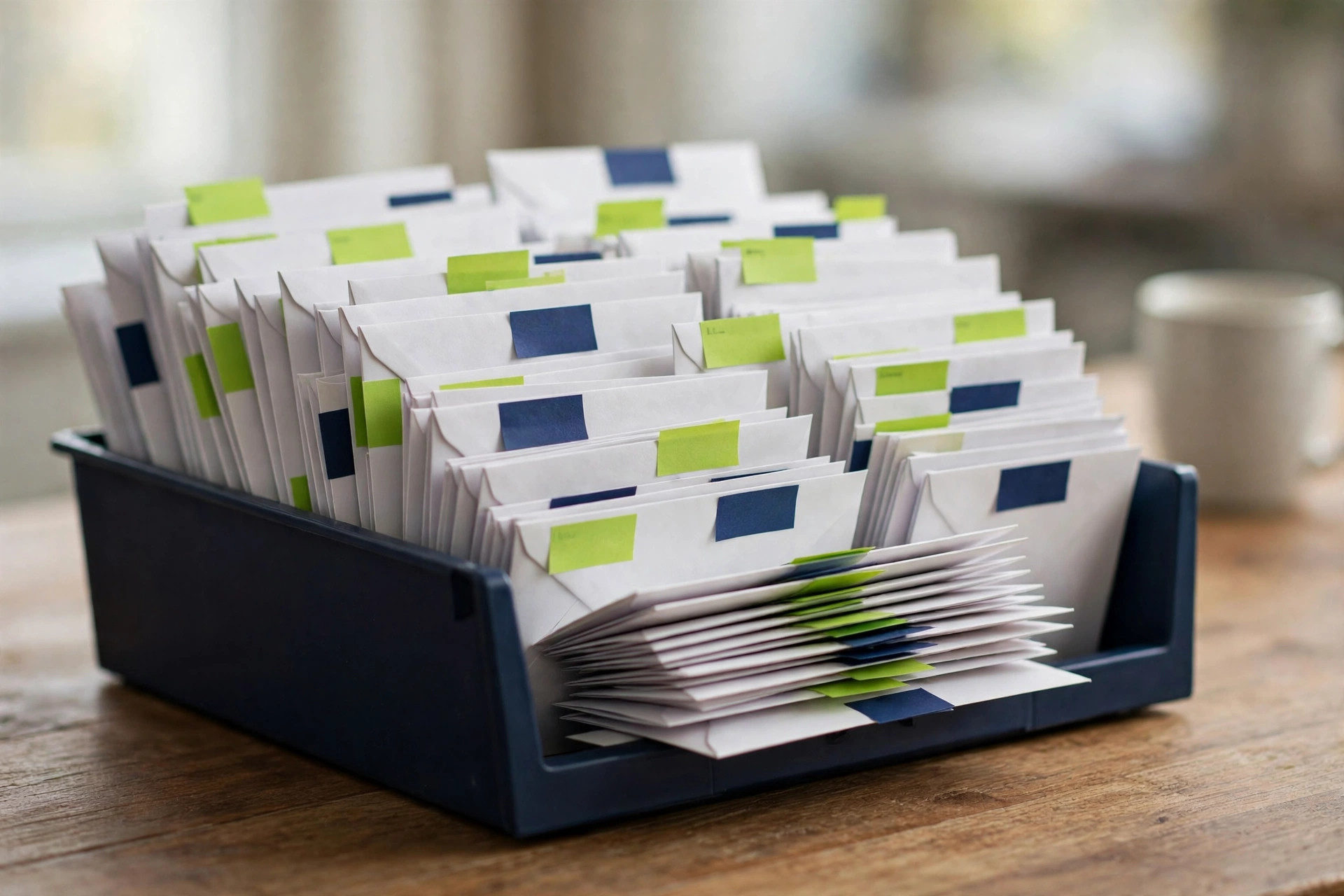
This is the fundamental one. An alias is not a separate inbox; it’s a label on the same inbox. Every newsletter, every promotional campaign, every “we miss you” sequence still lands in your primary mailbox. You can build a filter to hide it, but hiding is not the same as not receiving. Unless your filter deletes outright, the mail still takes up storage and still clutters your search results. And a filter set to delete everything risks throwing away the one message you actually needed.
Filters also need maintenance. Every new alias needs a new rule, and a rule you forgot to create means mail arrives unsorted. Over a few years and a few hundred signups, most people quietly stop keeping up.
2. Many websites reject or strip the plus sign
Plus addressing is widely supported, but support is only as good as each website’s implementation. Plenty of signup forms reject the plus character outright with a vague “please enter a valid email address” error, because whoever wrote the validation never checked that a plus is a perfectly valid character in an email address. Others accept it at signup and then strip it before storing — so your careful tag silently vanishes, and the leak-tracing benefit vanishes with it.
More pointedly, a growing number of marketing platforms and fraud-prevention systems explicitly normalise plus-addressed emails, collapsing yourname+anything@gmail.com back to yourname@gmail.com in their database. They do this specifically to stop people claiming multiple free trials. When that happens, your alias provided precisely zero separation — the service knows your real address and has stored it.
3. Anyone can reverse an alias in one second
This is the failure that surprises people most. Removing everything after a plus sign, or stripping the dots from a Gmail address, is a one-line operation — the first thing anyone processing email lists at scale implements. It is not obscure knowledge.
So an alias offers no meaningful anonymity. It doesn’t conceal who you are, doesn’t break correlation between your accounts, and doesn’t stop a data broker from linking every service you’ve aliased into a single profile keyed to your real address. If your goal is organisation, that’s fine. If your goal is not being tracked across services, an alias accomplishes nothing at all.
4. You cannot revoke an alias
There is no button in Gmail to switch off yourname+shopping@gmail.com. The alias isn’t a real object in your account — it’s just a spelling your address tolerates. As long as your Gmail account exists, that address is deliverable. If it ends up on a spam list, your only remedies are a filter that trashes it forever, or abandoning the underlying account.
Compare that to a genuinely disposable inbox, where revocation is the default behaviour rather than an unavailable feature. You don’t turn it off; it turns itself off.

2026 update: the credentials sitting in infostealer dumps are mostly Gmail ones — and aliases can’t fix that
In 2026, security researcher Jeremiah Fowler reported a publicly exposed 96 GB infostealer database containing 149,404,754 unique logins, including 48 million Gmail accounts. It also held 17 million Facebook, 6.5 million Instagram, 4 million Yahoo and 3.4 million Netflix logins, along with financial and crypto credentials and .gov addresses. The data appears to have been harvested mostly by infostealer malware on infected personal devices, not from a new breach of Gmail or any other platform. It sat publicly accessible for over a month before it was taken down, and it kept growing while it was watched.
Every you+shop@, you+news@, you+forum@ alias collapses into the same Gmail account. If that account’s credentials land in a dump like this, every alias goes down with it. A disposable address can’t protect your Gmail login, and it can’t stop malware stealing passwords saved on an infected device. What it does do is keep each throwaway signup on its own expiring address, with no link back to your main inbox, so one compromised account can’t chain into everything else. (Sources: Jeremiah Fowler via ExpressVPN (2026); Wired; 9to5mac; Outlook Business)
Meanwhile, Gmail’s own privacy story: Google rolled end-to-end encryption out to Gmail on mobile on 9 April 2026. However, this is only for Enterprise Plus Workspace customers with Assured Controls add-ons, not personal Gmail accounts. Encryption for sensitive business mail — and still nothing disposable for consumer signups. (Source: Google Workspace Updates blog, 9 Apr 2026)
How a temporary email is structurally different
A temporary email address from a service like TempMailPad isn’t a variation on your address — it’s an entirely separate mailbox on an entirely separate domain. Nothing about it can be reversed into your real address, because there is no real address encoded in it to recover.
The message arrives in a browser-based inbox that isn’t yours in any persistent sense. You read the verification code or confirmation link you needed, and then the address — and everything sent to it — is permanently deleted when the retention window closes. Your actual inbox never sees a single byte of it. No filter to write, no rule to maintain, no storage consumed, nothing to clean up later.
One honest caveat: a temporary inbox is built for convenience, not confidentiality. Treat anything sent to it as potentially visible to others, and never use one for messages containing personal, financial, or medical information.
That difference — separate mailbox versus labelled same mailbox — is the entire argument. Everything else follows from it. (New to the concept? Start with [what temporary email is and how it works].)
Head-to-head: which one wins on what
Scenario | Winner |
|---|---|
Keeping mail you want, organised | Gmail alias — a temp inbox expires, so it’s the wrong tool for anything you’ll need next month |
Keeping mail you don’t want out of your inbox | Temporary email, outright — the alias still delivers; the temp address never touches your inbox |
Breaking cross-service tracking | Temporary email — an alias reverses in one second and provides none |
Acceptance by signup forms | Roughly a tie — aliases get rejected for the plus character; temp addresses get rejected by disposable-domain blocklists |
Leak tracing on services you trust | Gmail alias, provided the site preserves the tag |
Revocation and cleanup | Temporary email — expiry is automatic; an alias can never be switched off |
Password resets months later | Gmail alias, decisively — never use a temporary address for an account you need to recover |
One-time codes, free downloads, gated content | Temporary email — exactly the job it was built for |
What about Hide My Email, Relay, and shielded addresses?
A third category sits between the two: forwarding aliases from Apple’s Hide My Email, Mozilla’s Firefox Relay, and similar shielded-address features. These generate a genuinely random address on a provider-controlled domain that forwards to your real inbox — and which you can switch off later.
They’re a real improvement over plus addressing on two counts: the address isn’t reversible into your real one, and deactivation is an actual feature. But they keep the core characteristic of an alias — mail still forwards to your real inbox until you remember to disable it, so your storage and attention stay on the hook. They also tend to require an account, a subscription, or a specific device ecosystem. And their forwarding domains are increasingly recognised and blocked by the same services that block disposable domains.
The honest summary: forwarding aliases are a strong middle option for mail you’re ambivalent about, and worth using if you’re already in the ecosystem. For mail you affirmatively do not want, a temporary inbox remains simpler, faster, free — and requires nothing of you afterward.
A practical rule you can actually follow
Trying to make one method cover every situation is what causes people to misuse both. The decision comes down to a single question: after this signup, do I ever want to hear from this service again?
If yes, and it matters — banking, healthcare, employment, government, anything you’ll need to recover — use your real Gmail address with no alias at all. Don’t get clever with accounts that hold money or identity.
If yes, but it’s routine — a store you shop at, a newsletter you’ll genuinely read, a tool you use monthly — use a plus alias and write the filter immediately, while you remember.
If no, or you’re not sure — a one-time download, a forum you’re browsing once, a Wi-Fi portal, a discount code, a site you don’t trust — use a disposable email and never think about it again.
That third category is far larger than most people realise. Audit your own inbox and count how many senders you’d genuinely miss if they vanished tomorrow. For nearly everyone it’s a small fraction — and every one of the rest was a signup that should have gone to a disposable address. Our [decision guide] walks through more of these scenarios, and our [privacy tips] cover what to do with the inbox you keep.
Frequently asked questions
Is Gmail plus addressing safe?
It’s safe in the sense that it doesn’t expose you to new attacks — but it provides no privacy. Anyone can strip the +tag and recover your real address in one operation, and many marketing platforms do exactly that automatically. Use it for organisation, not for anonymity.
Does the Gmail dot trick hide my email address?
No. Dots are ignored by Gmail’s delivery system, so your.name@gmail.com and yourname@gmail.com are provably the same mailbox. It offers neither useful labelling (unlike plus addressing) nor separation (unlike temporary email).
Why do some websites reject email addresses with a plus sign?
Sometimes their validation rules were written without accounting for subaddressing. Other times it’s deliberate, because fraud-prevention systems normalise plus-addressed emails to stop people claiming multiple free trials. If a form rejects your alias and it’s a site you’ll never need again, a temporary email address is usually the faster workaround. If it’s an account you’ll need to keep, use your real address instead.
Is a temporary email better than a Gmail alias for signups?
For signups you don’t want to hear from again: yes. A temporary address is a separate mailbox that expires automatically, while an alias is just a labelled version of your permanent inbox that keeps receiving mail forever. See also: [Are disposable emails safe?]
Can I use a temporary email for accounts I need to keep?
No — and this is the one rule that matters most. Temporary inboxes expire and can’t be recovered. Use your real, secured email for banking, primary accounts, and anything requiring password recovery.
If an infostealer harvests my Gmail login, are my aliases safe?
No. Aliases are alternate spellings of one account. If your Gmail credentials land in an infostealer dump like the 149.4-million-login database reported in 2026, every alias is compromised along with the account. A temporary address can’t rescue your Gmail credentials. But it keeps each throwaway signup on its own expiring address with no link back to your main inbox, so one breach can’t chain into everything else.
Putting it together
Gmail aliases are a good organisational tool wearing a privacy costume. The dot trick and plus addressing sort and trace mail you want, and plus addressing in particular does that well. What they don’t do — despite the persistent belief that they do — is keep unwanted mail out of your inbox, keep your real address hidden, break cross-service tracking, or give you any way to shut off an address that’s gone bad.
A temporary email does all four, because it isn’t a relabelled version of your inbox — it’s a different inbox that stops existing. The two tools aren’t competitors so much as answers to different questions. Once you’re asking the right question at the signup form, choosing between them takes about a second.